20 Page Setup
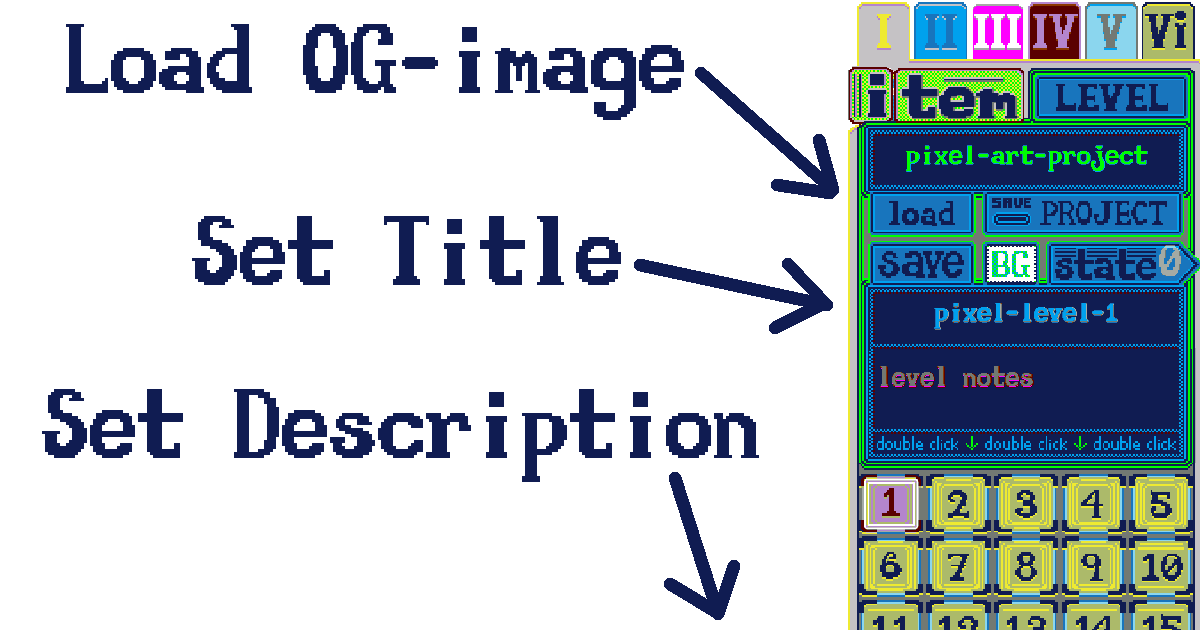
The other defaults that we have will give fairly good metadata on each page, that way you can link it immediately through social media, and hopefully the previews will look 100% top-notch, just how you designed it. Just make sure that you use the load button to get your custom OG-image. Otherwise you could switch it out after the fact but, it’s much easier to do it in the program because then when you save the project (using ’s’) you will have that OG-image still there later…
Middle mouse scroll
This is now the default mouse behaviour in the outgoing pages. It can be changed if you don’t prefer it. It’s set in the footer, which can be changed on a per-page basis. So, all of the pages can be very unique but, I wanted to make sure that the initial default setup was a very common one. It needs to be something that everyone’s going to understand and hopefully you agree, AND I think that it covers off something that most people might find difficult to implement on their own. This way it’s just always there, and the outgoing webpages feel almost identical to how it is while you are working the program.
I feel like these are pretty good defaults
I’m not sure if there are any other good defaults that I can set up so that it’s even easier and a better fit for what people would like to see. This isn’t intended to be a complete replacement or even a competitor to standard SSgs(static site generators). Those are great, they do a wonderful job. It’s just that it’s very restrictive, and everything is in completely defined boxes. So, this is actually totally different from that, you can put the boxes wherever you want, and you can even write your own code into it if you know how.
There is a lot more freedom here
With more freedom, you might find that it’s not as streamlined as Hugo, for example. But, then, there is no real comparison between those two things. Hugo doesn’t end up with a whole lot of wiggle room in the formats. They’re pretty much button-down and set. That’s exactly what you want for a standard blog/news style format, and you-know, all of the other stuff that it does, it’s Great.
Just throwing some images into the page in a highly graphical composition, that’s where we are at with this program.
Looking ahead
The current stage of the program is pretty good, and of course next I will need to test it out. The capability to save a single file vanilla program still remains. The versatility hasn’t been reduced. There is a lot to try in this program. The goal, initially wasn’t to make an ’expert-only’ style program but, instead to make something that was easy to use and ‘for-everyone’. Basically that is all accomplished in the defaults. Having effective and easy default settings is what makes the difference between an ’experts-only’ and a ‘for-everyone’ program. Most of those things are already on board with the program. The majority of the defaults are good but, we haven’t reduced the possible specificity of the configuration to the point that you cannot anymore have a near full control.
Anyone who knows a little bit of HTML CSS and Javascript will have an absolute field-day on this program.
Anything you know will have a ten-fold effect within the program context.
Listing them
- a quick way to make up a link to one of the twenty pages(click a button to input the link), probably just use the standardized button maker already included in the program
- make up some special functions to give better ’end-points’ for the user to be able to interact with the program code and potentially code their own functions for the program and extend the program that way, expand on that thought…
Write up some good user accessible functions
For an hobby Javascript efficianado to be able to interact with the program a little bit better, I should write up some custom ’end-points’ that will make interacting with the program code more fun, and a lot simpler. You would have thought I would have done that earlier for myself but, I wasn’t sure what the final product was going to be. So, I’m going to try to think of some very basic ones to help people to extend the program themselves.
It’s a working program, you can absolutely make a functional artistic/hobby website with it. Even so, it’s basically experimental at this point, and serves as a proof of the concept. HTML can be treated graphically, and it’s actually very nice to use that way.